Adds task photo button
The problem
"Add a photo button to each row for every task, and it should look different for optional versus required."
- Only required-photo tasks showed a camera on the row.
- Optional photos meant opening the task sheet first.
What we considered
-
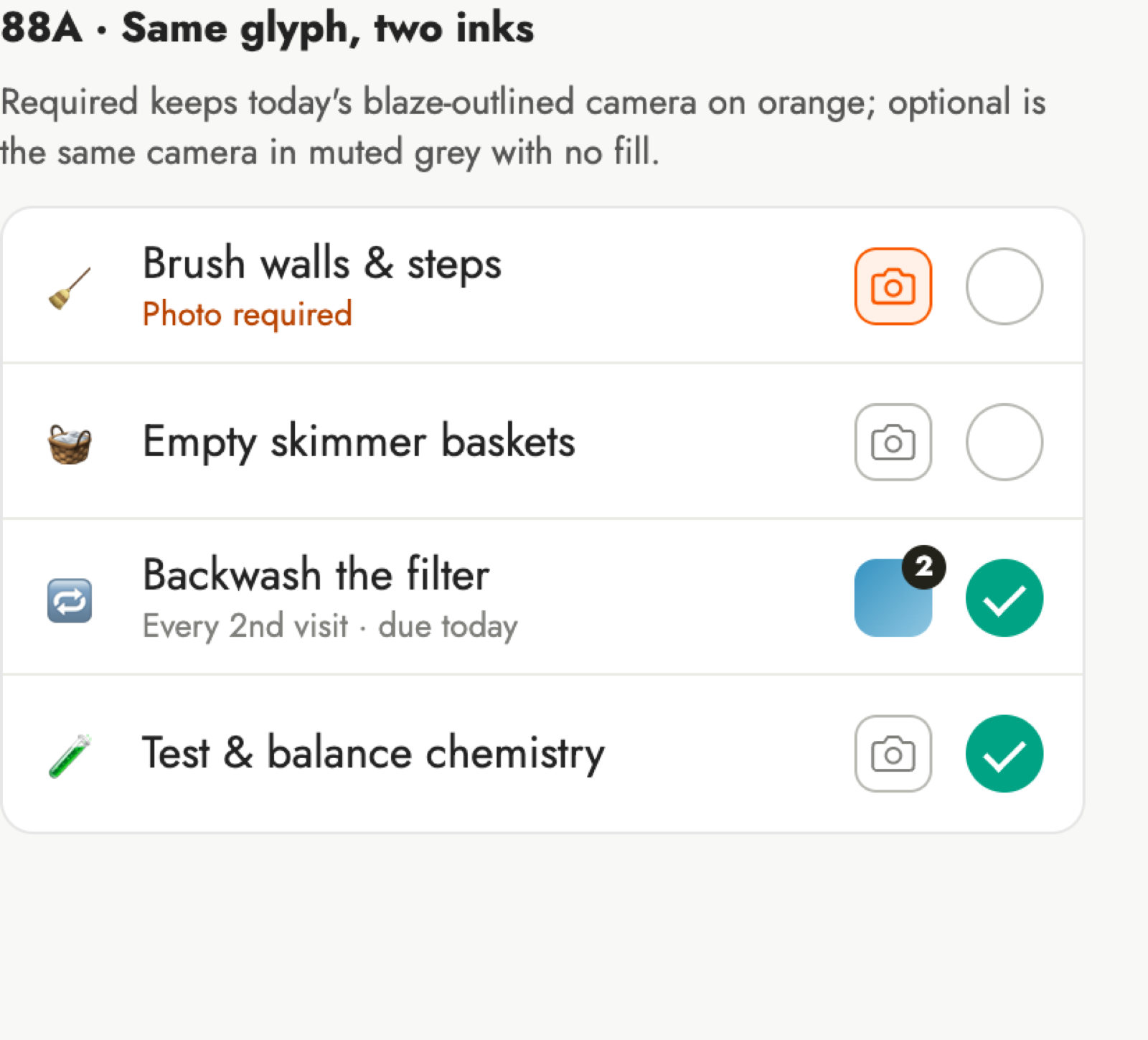 A
Same glyph, two inks
- One shape; colour tells required from optional.
-
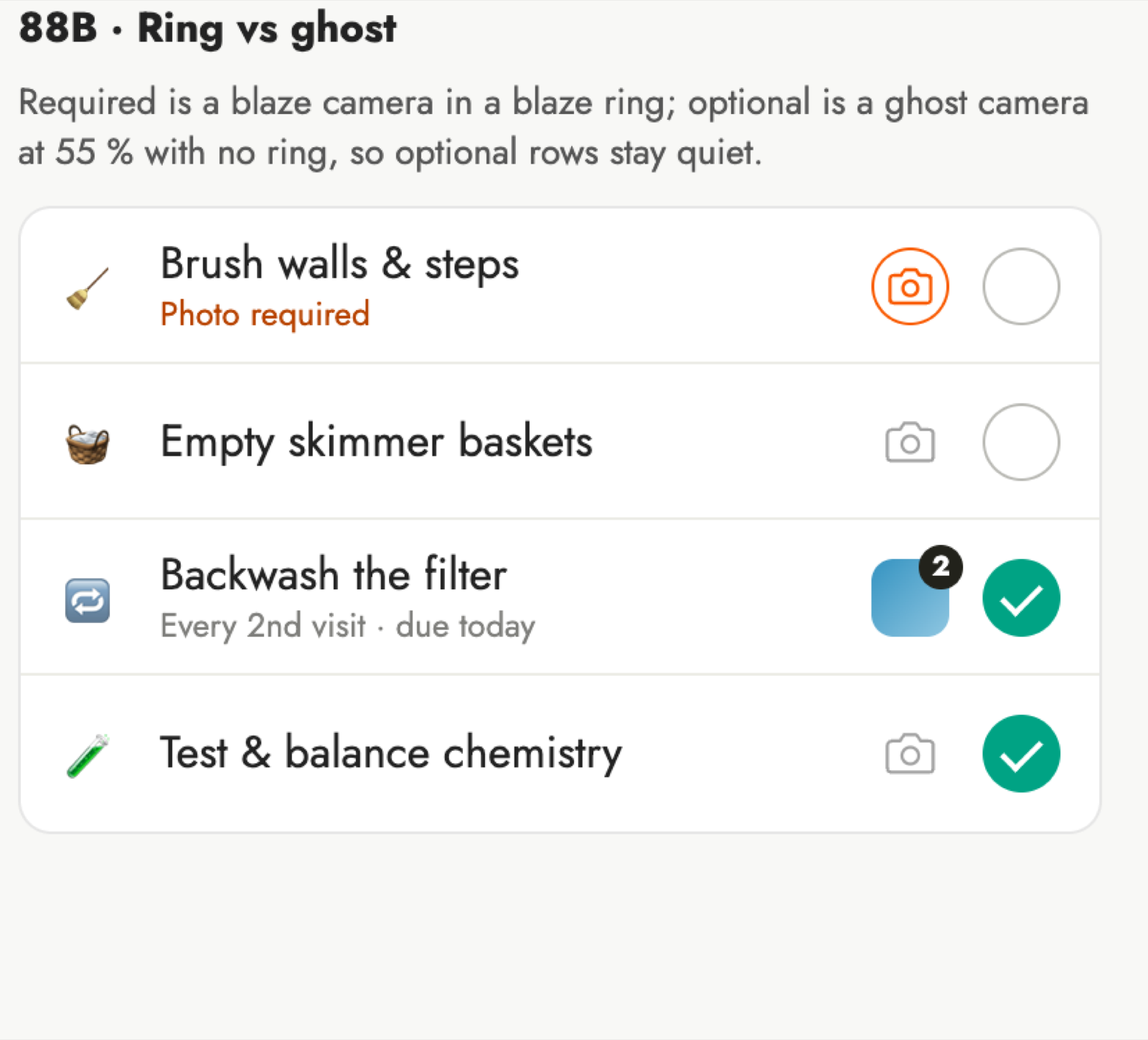 B
Ring versus ghost
- Required stands out; optional rows stay quiet.
-
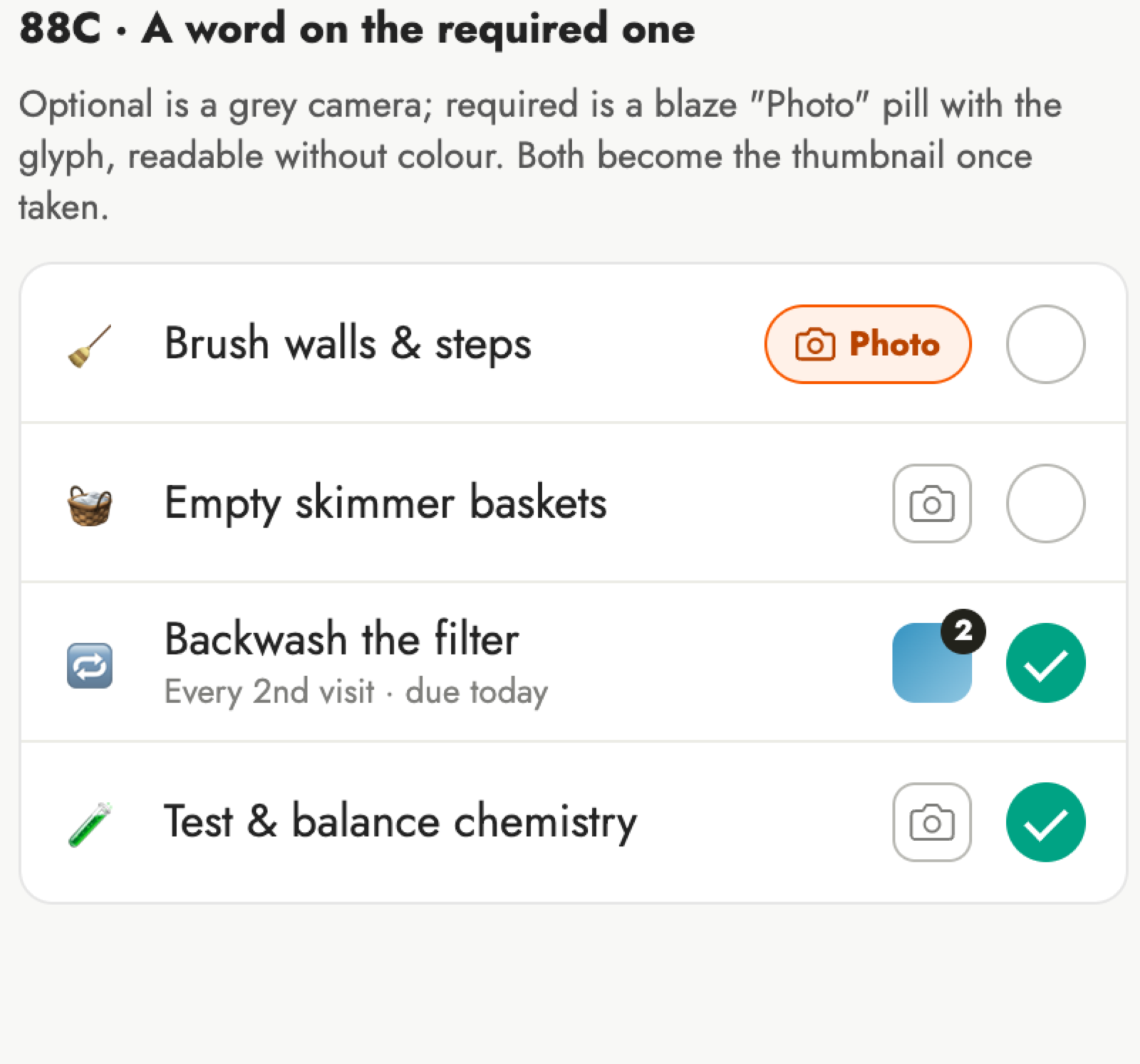 C
A word on required
- Works without colour vision, but takes more room.
What shipped
- Every row has a camera: orange required, grey optional.
- After a photo, it shows the thumbnail and count.
- Task sheet camera unchanged; arrives in the next app build.